 SplitTrack
Your fifth runner flashes through the 3K mark. The next pack is only a few strides away. In the middle of a moving race, you need two answers: Where are we as a team? Which small moves could change that?
That is the moment we built Race Advisor for. It turns the places your staff record at a cross country checkpoint into a live view of the team race. If your team trails, it tests ways to close the gap. It shows what those moves would ask from your runners, in places and in seconds. Race Advisor is available now in SplitTrack.
From a stream of jerseys to a team score
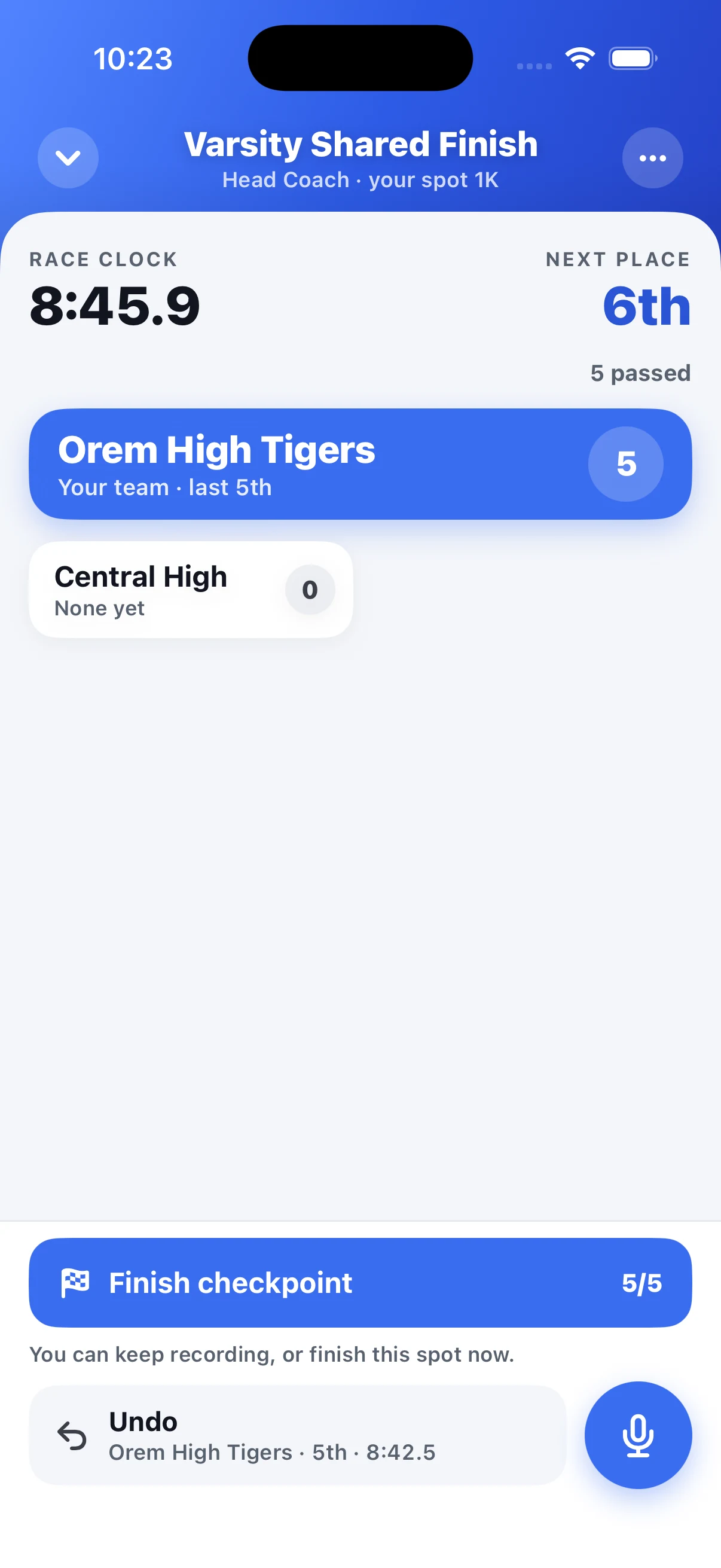
Before the race, coaches add the schools and course checkpoints. A tracker at each spot taps the school on each runner's jersey as runners pass. The app records the order and split time. Trackers do not have to identify each athlete by name.
Once your team's fifth runner is recorded, Finish Checkpoint becomes available. The tracker can submit that spot then, or keep recording more runners. They can also reopen a submitted spot and add or correct taps while the race is live.
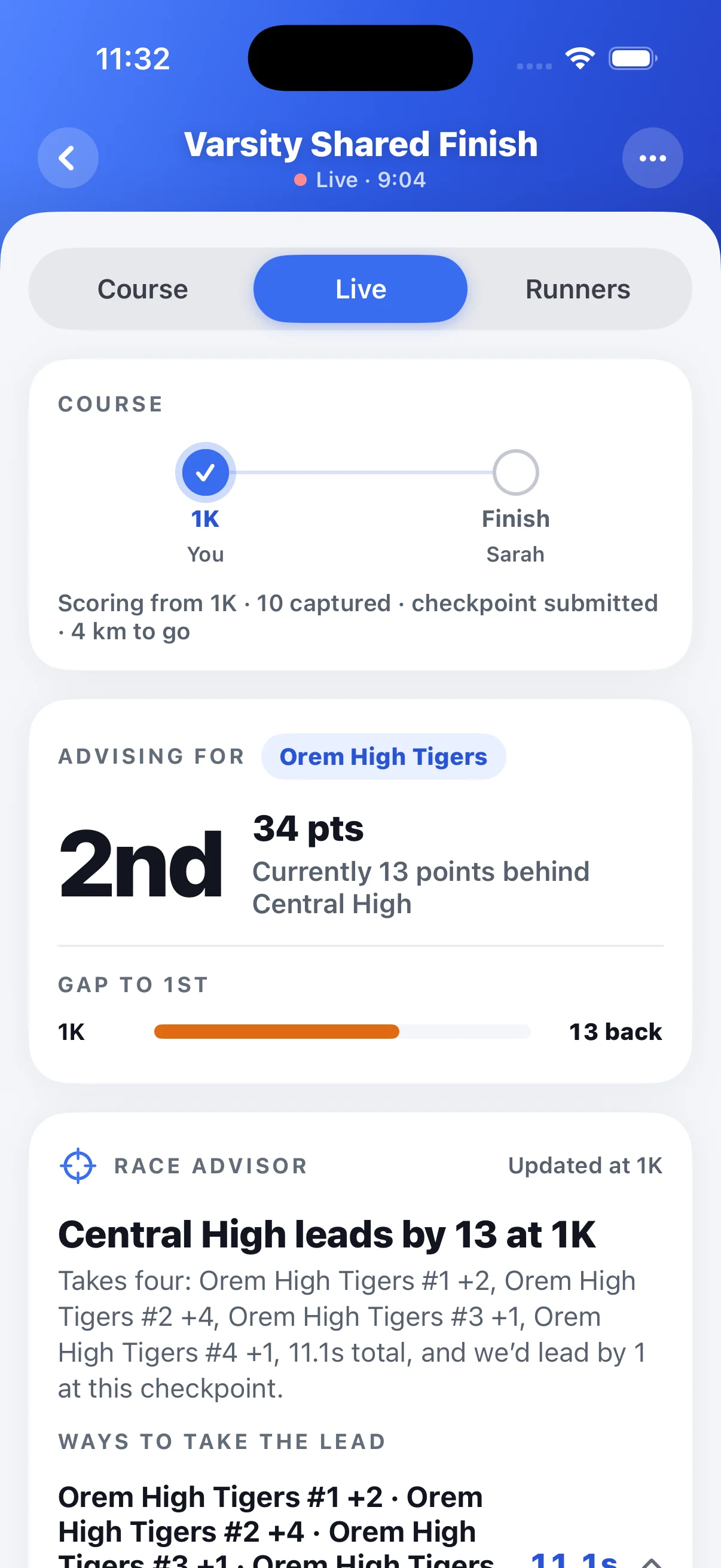
The Live view shows the recorded team standings and the gap to first at that checkpoint. Five runners score for each team. If other teams still have fewer than five recorded runners, the score is provisional. An early lead in the recorded field is useful information, but it is not a final race result.
Advice that uses the whole field
After a checkpoint is submitted, Race Advisor can work from the runners recorded there. It looks at the team scores, the places between runners, and the time gaps around them. It then tests possible changes against the recorded field and the scoring rules.
That last step is important. Passing one runner can change more than one team's score. A sixth or seventh runner can also push an opponent's scorer back. The advice needs to see the field, not only your first runner and the leader's first runner.
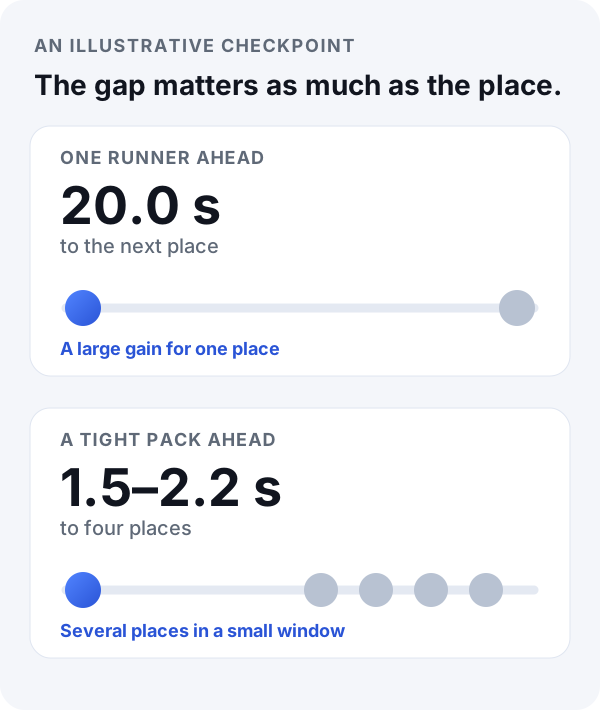
Imagine two choices. One athlete is 20 seconds from the next place. Another is 1.5 seconds from a tight pack. A small move through the pack can change several places. Race Advisor can show that type of opening. It can also spread the work across several runners and show which scorers need to hold their places.
The result is a short list of Ways to Take the Lead. Each route names the runner by school and order, such as “your team #5.” It then shows the place change and time gain that the runner needs. You can open a route to see each move and its effect on the score.
If your team already leads the scored field, Race Advisor has no chase plan to give. It tells you that no action is needed at that checkpoint. If it cannot find a short route within its limits, it says that too.
What the AI does, and what it does not do
The score and the place changes come from a scoring simulation. The AI helps explain the computed routes in plain language. It does not invent the score or decide where runners are on the course.
Race Advisor is a what-if tool. It does not know a runner's fatigue, the next hill, or the exact order between checkpoints. It cannot promise that a route will happen. Its advice is only as complete as the checkpoint data that your staff recorded. Use it to find a coaching opportunity. Then use your judgment on the course.
How to try Race Advisor
- Update SplitTrack and set up a cross country race with its schools and course checkpoints.
- Give each checkpoint tracker a spot on the course.
- Tap each runner's school as they pass.
- After your fifth runner passes, submit the checkpoint when you are ready. You can keep recording if you want.
- Open Live to see the team score and Race Advisor. Review the score again at the next checkpoint.
Want to test place changes before a real race? Race Lab is our free cross country simulator. Race Advisor uses the passes recorded in a SplitTrack race.
Get SplitTrack on the App Store · Get SplitTrack on Google Play
Every place counts. The useful question is which places your team can reach together.
Wes