 SplitTrack
The whole season moves as one.
Most team tools stop at a calendar, a chat, or a spreadsheet. SplitTrack connects the work, so every plan, result, and update is already where the next person needs it.
See the connected workflowsThe connection is the advantage.
Update something once. The next person and the next step stay in sync.
Plan a practice
Schedule→RSVP→Attendance→Workout
Run a meet
Assign events→Capture times→Share results→Update profiles
Reach the team
Post an update→Confirm reads→Follow up by role
Run every practice and meet from one plan.
What gets scheduled carries through to attendance, live execution, and results without re-entering the same information.
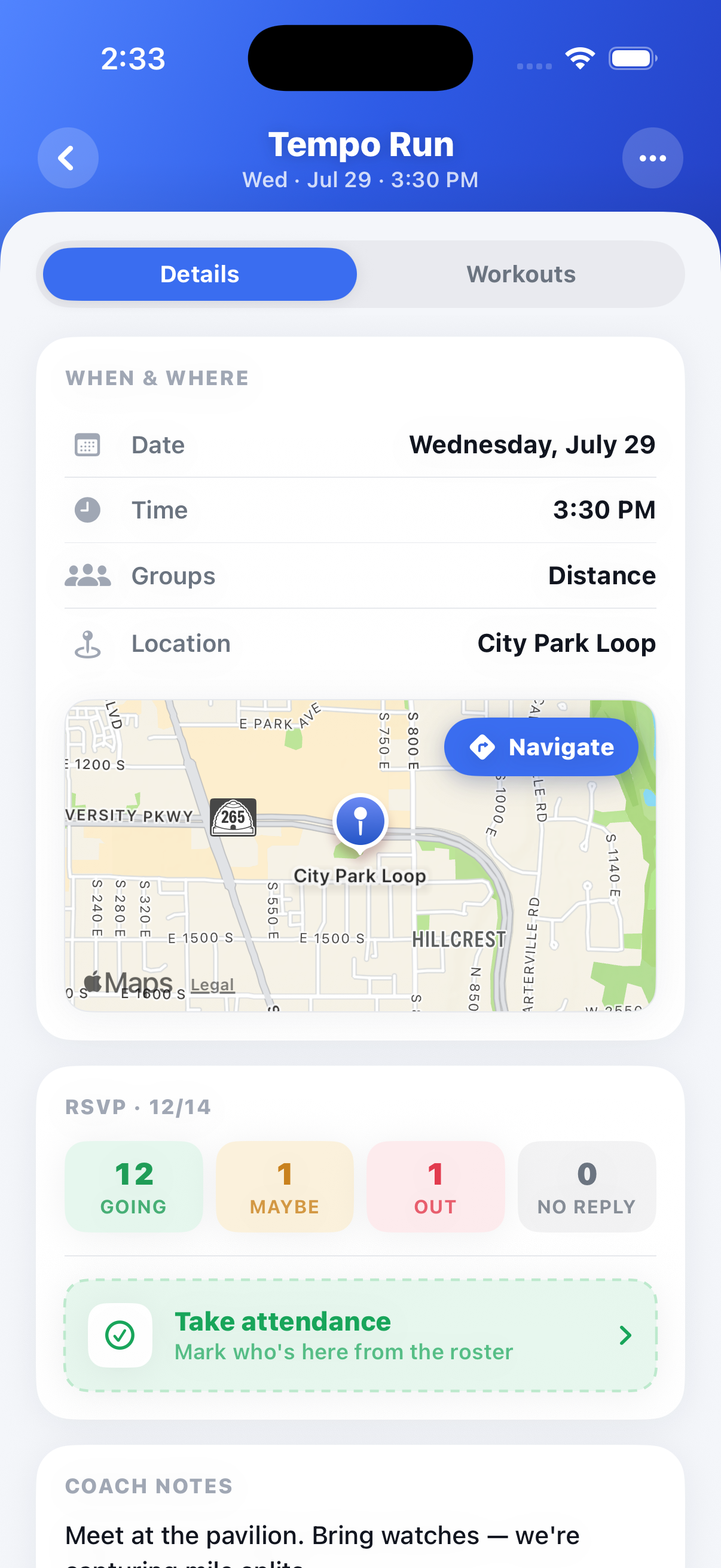
Practices and meets your team actually shows up to.
One calendar for the whole program. Athletes RSVP, coaches take attendance in a tap, and the day's workout is attached to the practice it belongs to.
- RSVP with reasons, so you know who's out and why before you plan groups
- Attendance in one pass, with season history per athlete
- Plan the workout ahead, then run it live from the same screen
- Meet days include call times, directions, and event assignments
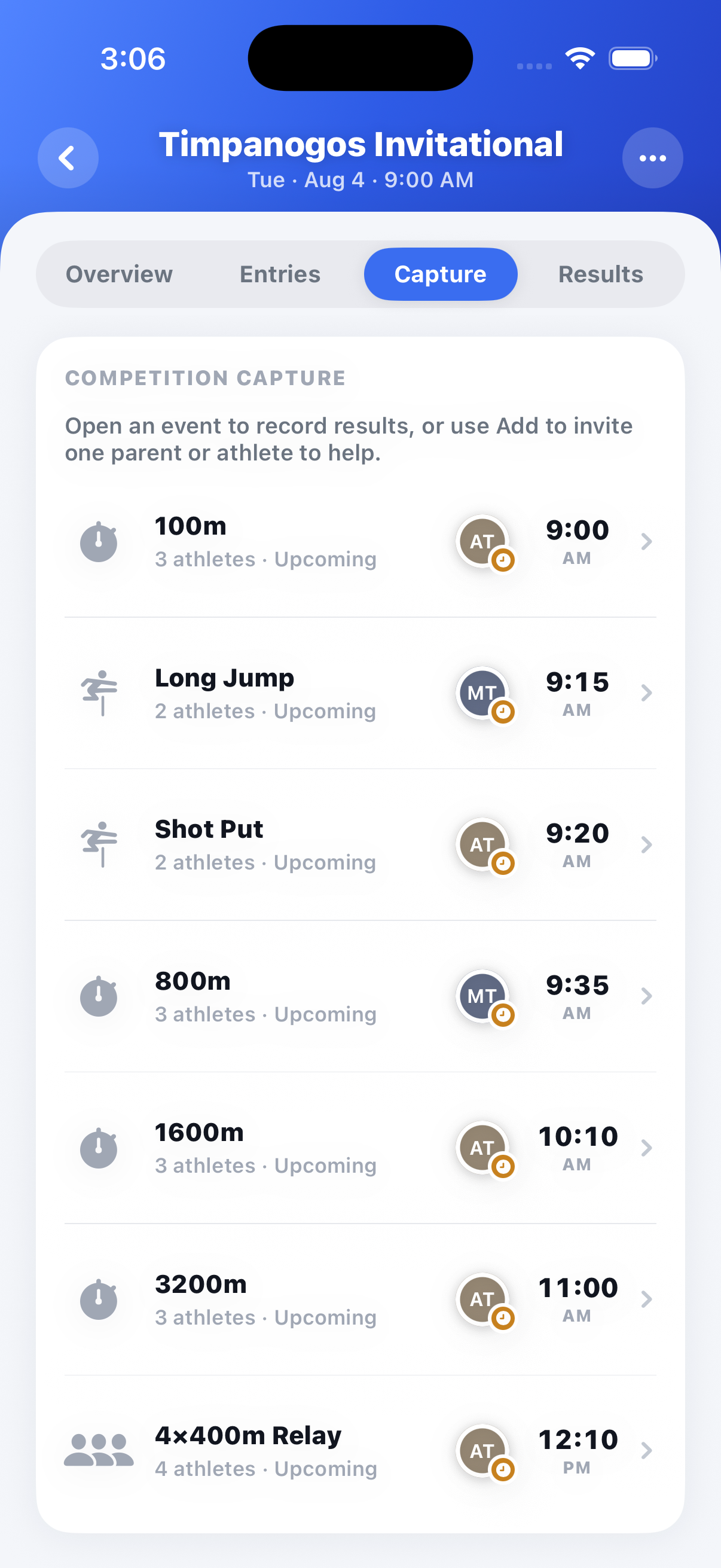
Everything race day needs, in one screen.
Make event assignments, capture race times and splits as they happen, and share results instantly. No more scattered stopwatches or texted screenshots after the meet.
- Assign athletes to events and heats ahead of the meet
- Capture times and splits live, event by event
- Invite a parent or athlete to help capture a specific event
- Share results instantly with the whole team
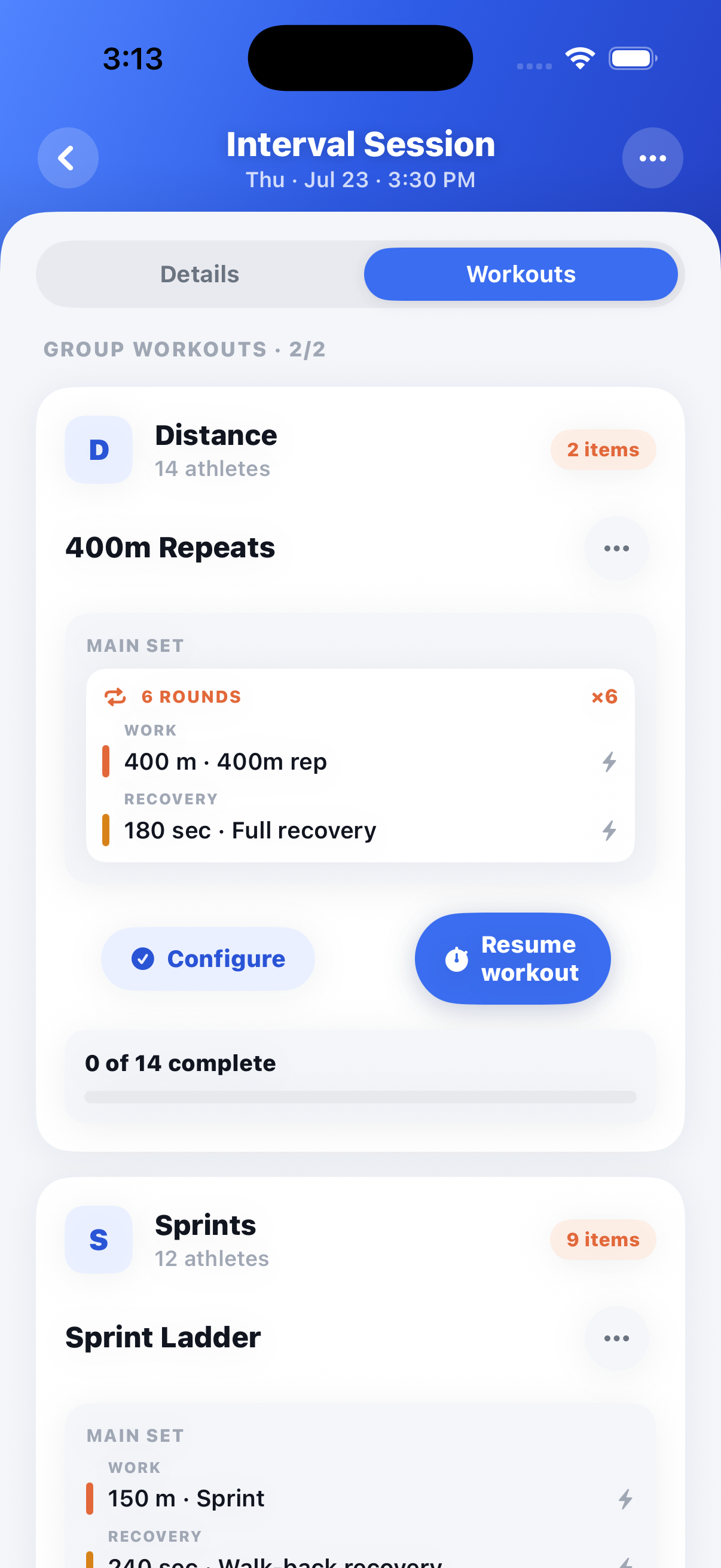
Run the session live, without losing the details.
The plan becomes the live practice screen. Athletes log weight-room progress while coaches capture track times and splits against each athlete's goals.
- Coaches build the practice; athletes see it on their phone
- Athletes record their own sets and reps in the weight room
- Coaches capture times and splits live on the track
- Results sync instantly against each athlete's goals
Keep the whole program aligned.
Assignments, roster details, and conversations live together, so every role sees what applies to them without another spreadsheet or group text.
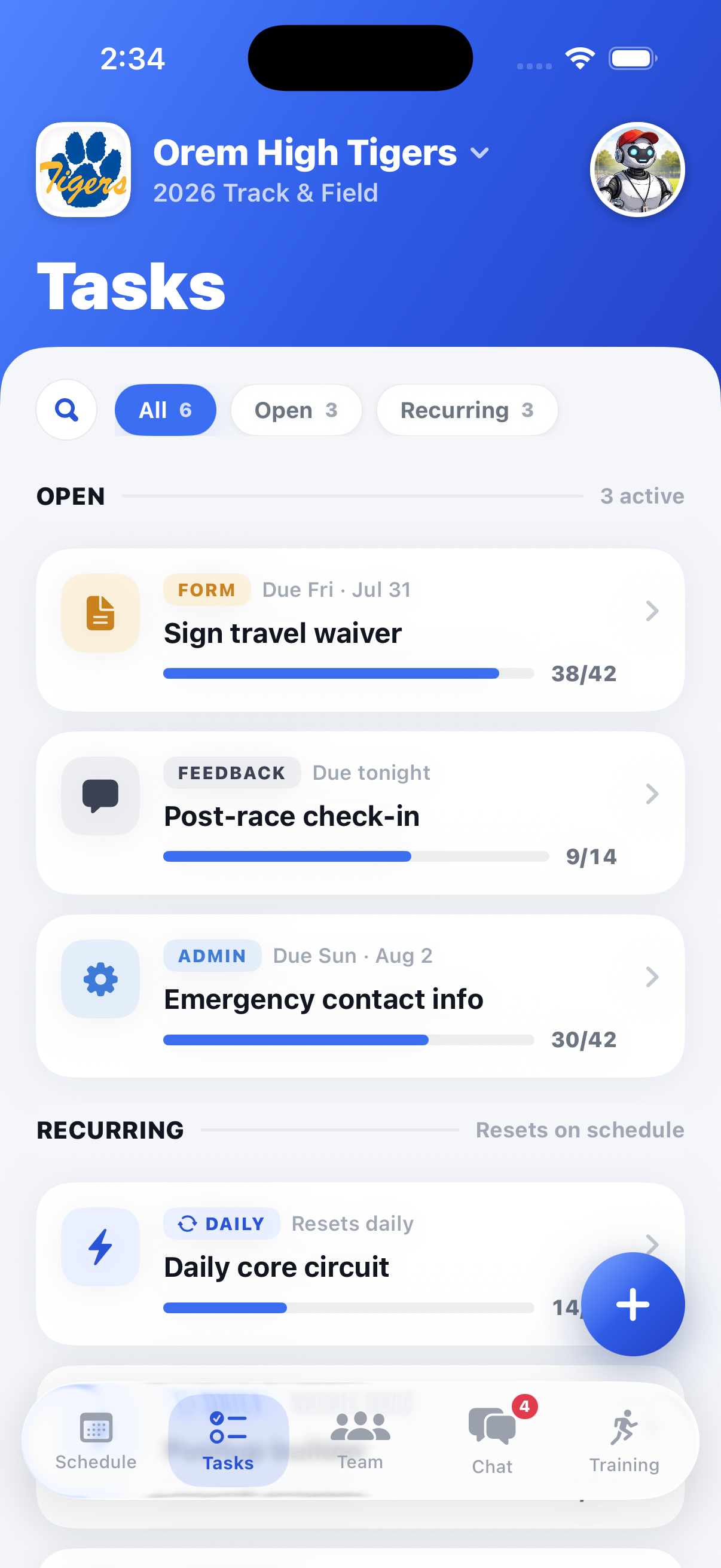
Assign it once, then watch it get done.
Physicals, waivers, uniform returns, gear checks, and summer mileage logs can all be assigned to one athlete, a group, or the whole team.
- Assign to one athlete, an event group, or the full roster
- Due dates with automatic reminders
- See exactly who's complete and who's outstanding
- Recurring tasks roll over week to week
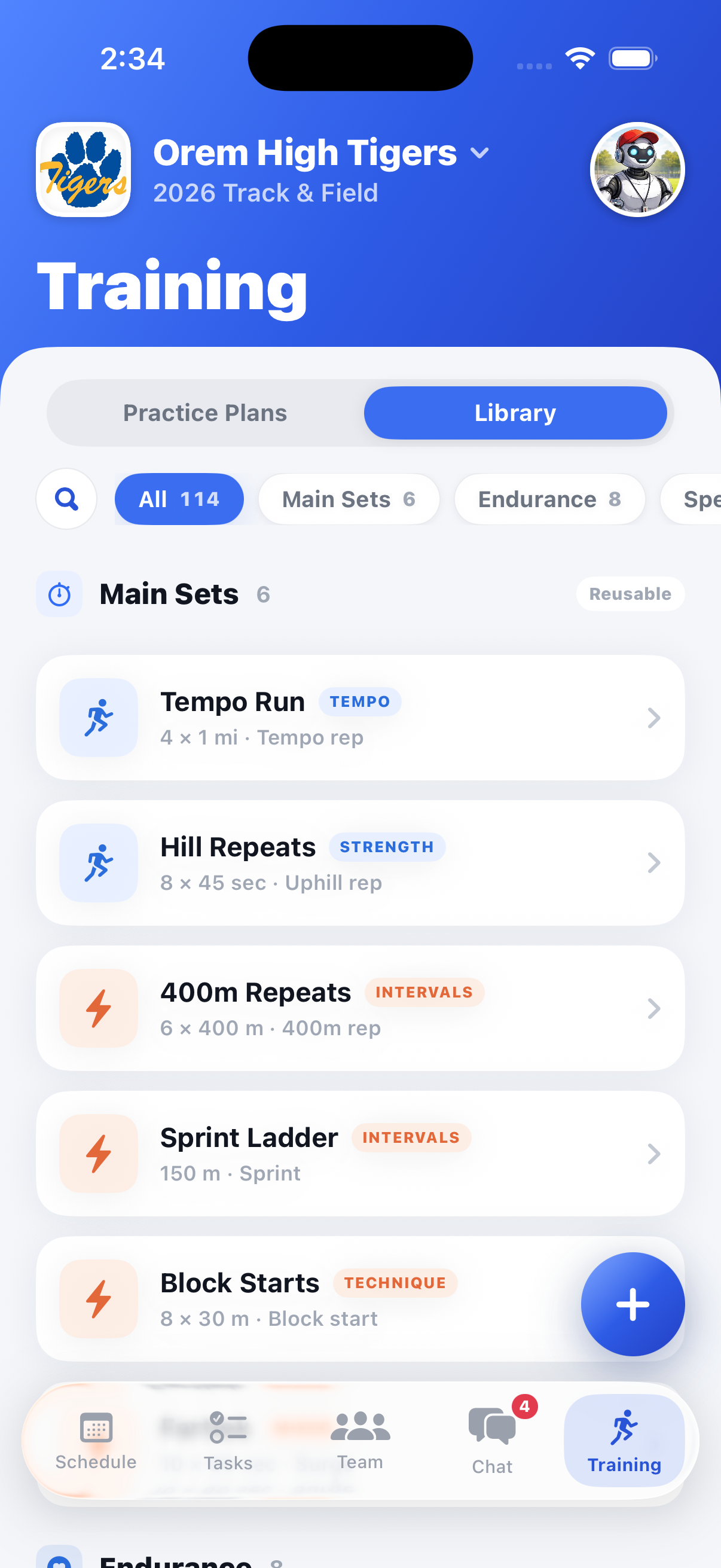
A roster that stays current all season.
Every athlete, event group, and grade lives in one searchable list, alongside a shared photo library that keeps the season from scattering across phones.
- Manage the roster by squad, event group, and grade
- Athlete profiles include contacts, PRs, and availability
- Team members can contribute to a shared photo library
- Set roles and permissions for staff, athletes, and parents
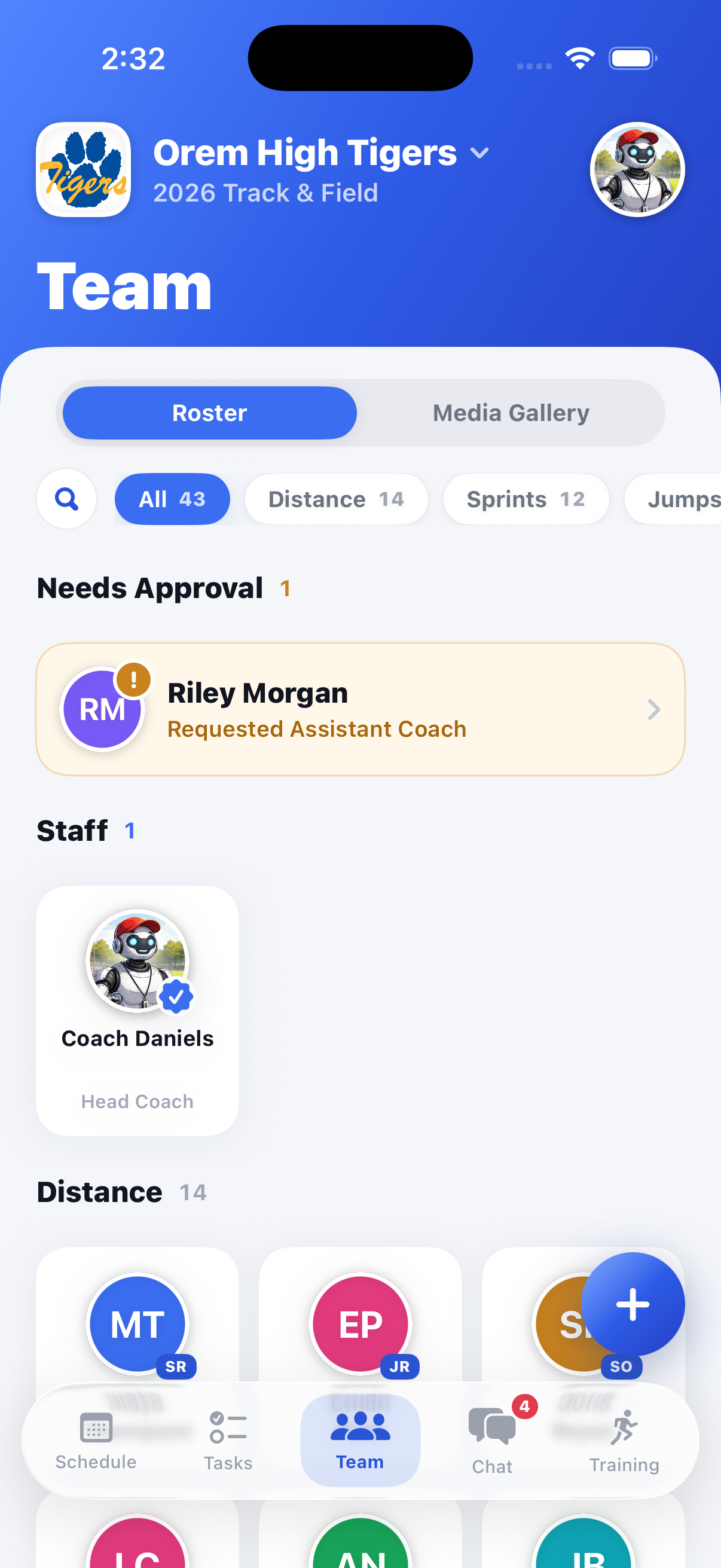
Announcements that land, group chats that stay organized.
Stop running a program out of a 60-person text thread. Post announcements to everyone, and keep separate threads for the groups that need them.
- Coach announcements include read receipts and push alerts
- Keep threads scoped by role or event group
- Send weather calls and bus changes in seconds
- No phone numbers shared; everything stays on the record
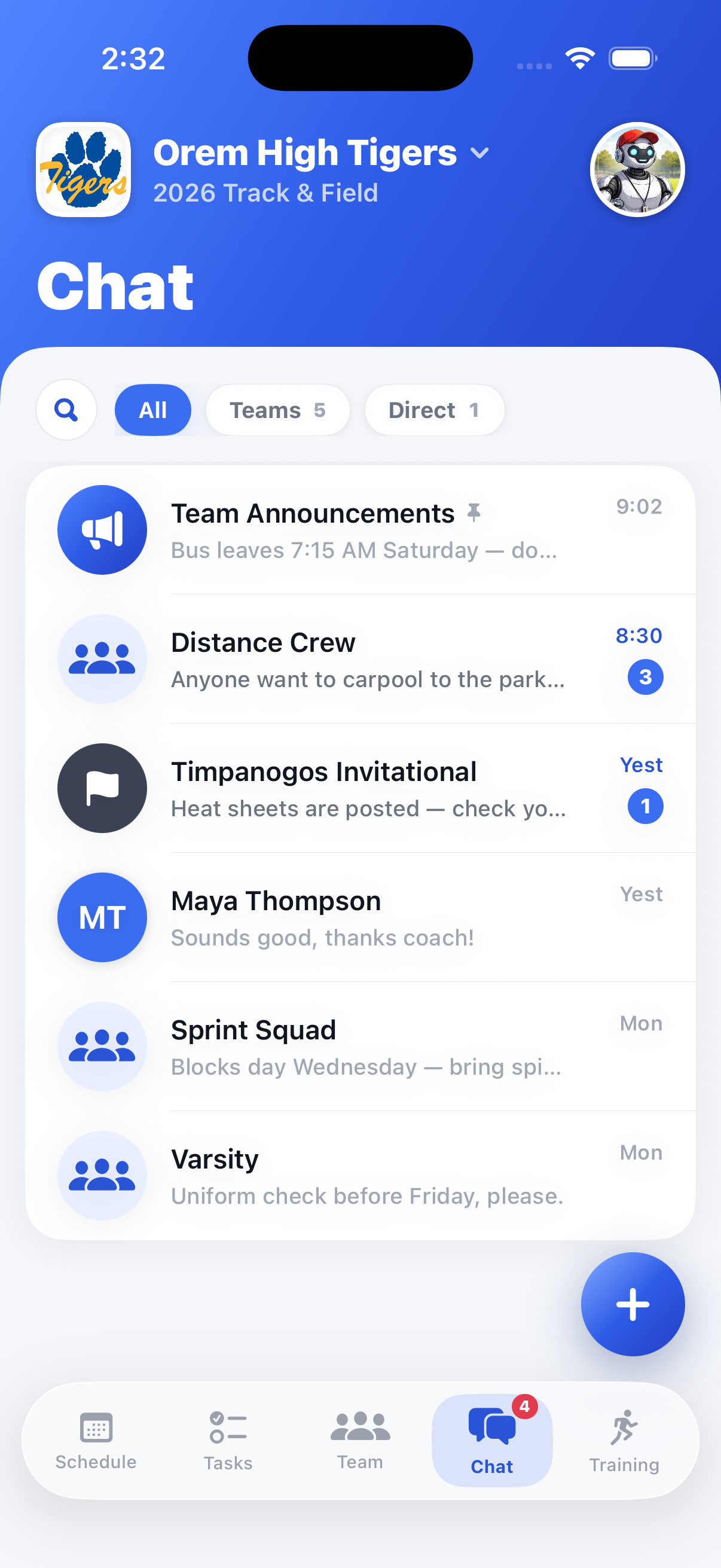
Turn good workouts into a training system.
Build a reusable library once, adapt it for each event group, and send every athlete the right work without starting over.
Build a workout once, reuse it all season.
Your library keeps warm-ups, intervals, lifts, and drills ready to clone and adapt, so last April's workout is one tap away this April.
- Build practices with blocks, sets, and rest
- Clone and adapt workouts, drills, and lifts
- Create different plans for every event group
- Athletes see the workout and log what they completed

Questions before you switch? Let's talk.
Whether you're comparing tools or ready to roll out SplitTrack for your program, we're happy to walk through it.