 SplitTrack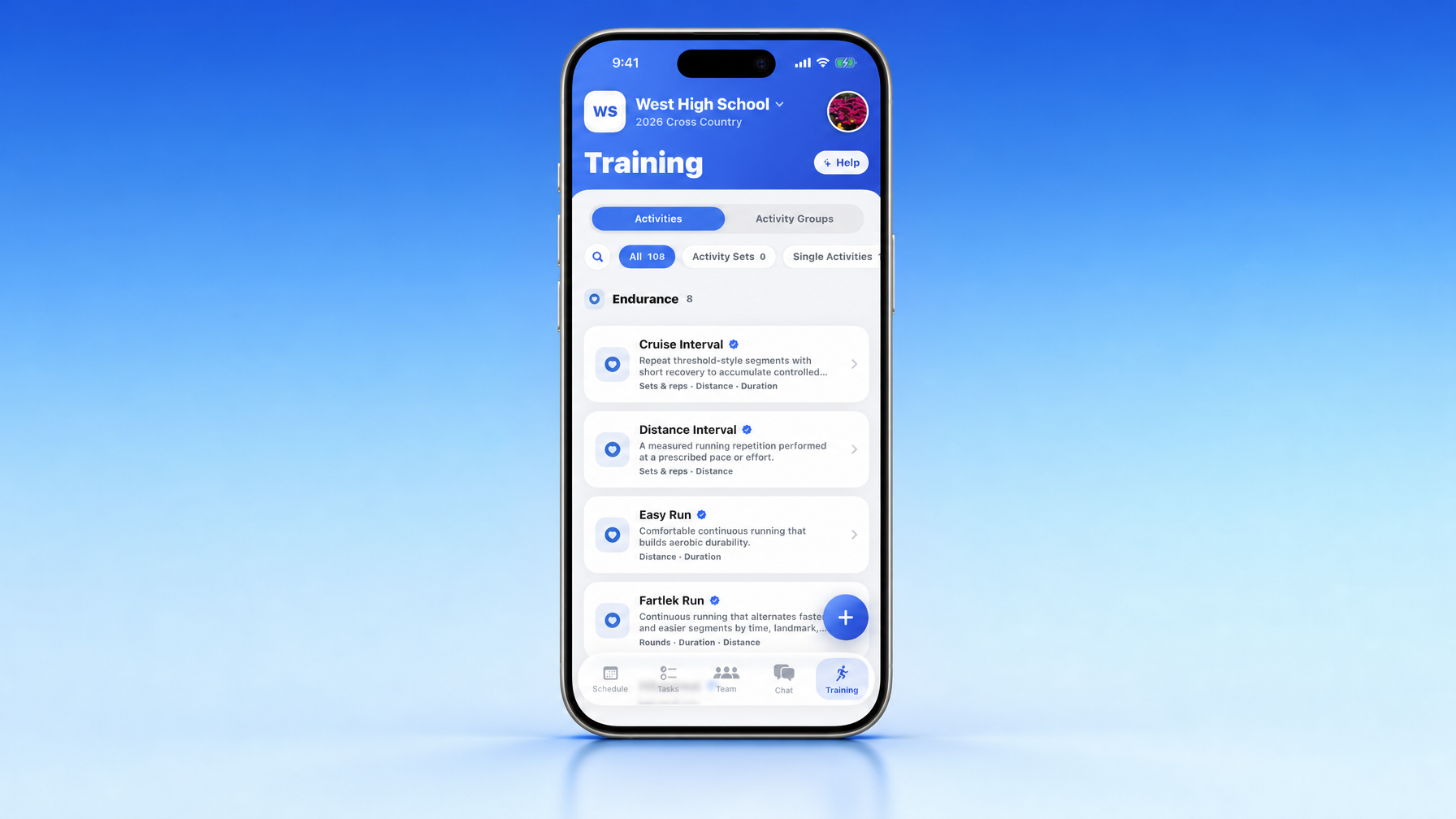
We redesigned the Training tab and event workout flow in Split Track. The building blocks are plain: Activity, Activity Set, Activity Group, and Group Workout. No Practice Plan maze. No forced warm-up / main / cooldown sections (you can still order a day that way when you want). Same composer in New Event and the event Workout tab. Varsity, Development, and Junior Lions can each get a real workout on the same practice. Built for high school track and field and cross country.
Coaches do not think in nested planning databases. You think: what are they doing, how does it repeat, what bundle do I reuse, and what does this group run today.
That is the model now.
The hierarchy in plain English
| Term | Question it answers | Examples |
|---|---|---|
| Activity | What is the athlete doing? | Dynamic warm-up, tempo run, back squat, strides, mobility, cooldown jog |
| Activity Set | How does that repeat or progress? | 6 × 400 with 90s recovery, three rounds of a strength circuit, hill repeats with jog recovery |
| Activity Group | Which reusable pieces belong together? | Pre-race warm-up, sprint mechanics routine, standard strength circuit, distance recovery day |
| Group Workout | What should this training group do at this event? | Varsity vs Development vs Junior Lions on the same practice |
Activity is the smallest block. Create it as a Single Activity with the measurements, instructions, media, and coaching notes you need.
Activity Set is a configured structure for reps, recovery, rounds, intervals, or other looping rules. Same workout infrastructure Split Track already had, with clearer names.
Activity Group is a reusable, ordered collection of Activities and Activity Sets. It lives in the library, not locked to one training group forever. Add it to a workout as one cohesive item. Inspect the contents without accidentally forking a one-off mess. Update the original from the Training tab when the routine changes.
Group Workout is the workout for one training group on one event. One practice can hold different ordered mixes for each group you selected under Applies to.
Training tab: two homes, not a maze
Open Training. You get two primary sections, matching the app:
- Activities (Single Activities and Activity Sets; filters like All / Activity Sets / Single Activities)
- Activity Groups (reusable ordered collections)
That replaces the old Practice Plan structure and drops artificial warm-up, main-set, and cooldown divisions. Order a session that way when it helps. The product no longer forces every workout into those buckets.
The Activity Group editor is a simple reorderable list: add, remove, drag the grabber. The library list shows the name plus a short preview of what is inside.
New Event: schedule first, workouts when they matter
In New Event, start with the basics:
- What it is
- When
- Where
- Which training groups it Applies to
Workout cards appear only for the groups you selected. No wall of irrelevant group panels.
For each selected group you can optionally build from Activities, Activity Sets, and Activity Groups. The same shared builder is used in New Event and on the event Workout tab. Need a new library item mid-flow? Use the familiar + in the selection modal.
Workouts stay optional at create time. Save the event, finish group workouts later from event detail.
Event Workout tab
Same group-specific structure after the event exists. You can:
- Build a separate workout per applicable training group
- Pull reusable library content
- Reorder with drag controls
- Remove items
- Inspect an Activity Group’s contents
- Create new Activities, Activity Sets, or Activity Groups on the spot
- Come back and finish an incomplete workout
One workflow. Less “which screen was I on last time?”
Why the names matter
Older wording mixed workouts, main sets, building blocks, and practice plans until the relationships got fuzzy.
The new stack is one ladder:
Activities → Activity Sets → Activity Groups → Group Workouts
That also gives AI schedule import a stable shape when uploaded plans turn into real Split Track workout data, and it sits cleanly next to Assistant Coach when you build or adjust sessions in plain language.
What you get day to day
- Less complexity: no Practice Plan tax, no forced section shells
- Faster events: basics first, workouts only when needed
- Real group support: different work for different training groups on the same event
- More reuse: save common routines as Activity Groups, drop them in with a few taps
- Flexible order: any mix of Activities, Sets, and Groups
- One library + one composer across the app
- Cleaner UI: progressive disclosure hides groups that do not apply
- Imports land in the same structure you use by hand
- Terminology that matches how coaches already talk about a day
Less rigid plan database. More flexible coaching tool: create the event, choose who it applies to, build the right workout for each group.
How to try it
- Update Split Track on iOS or Android.
- Open Training → browse Activities and Activity Groups.
- Create or tidy a few library items (Single Activity, Activity Set, Activity Group).
- Create a practice in New Event, set Applies to, then add group workouts.
- Or open an existing event → Workout and finish later.
New to the product? Start with We Built This for You, Coach and the coach’s guide to track and field and cross country team management software. First month free at getsplittrack.com.
What are they doing. How it repeats. What you reuse. What this group runs today. That is the whole model.
Wes